


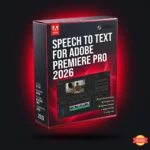

Adobe Speech to Text — Premiere Pro 2026 Captions | Sofryx
Original price was: $300.00.$20.00Current price is: $20.00.
Buy Adobe Speech to Text for Premiere Pro 2026. Auto-generate video transcripts and captions in 16 languages. Adobe Sensei AI. Pre-activated. Instant delivery.
Adobe Speech to Text for Premiere Pro 2026 — AI-Powered Video Captions Made Easy
Adobe Speech to Text for Premiere Pro 2026 transforms how you add captions to videos. This video editing software add-on automates the entire transcription process. You get accurate captions in 16 different languages. Adobe Sensei machine learning powers the speech recognition engine. The complete package includes all language packs at 12.7GB.
What Is Adobe Speech to Text for Premiere Pro 2026?
Adobe Speech to Text is a specialized add-on for Premiere Pro users. This video production software generates transcripts from your video dialogue automatically. The tool adds captions that match the natural tempo of speech. Adobe Sensei AI ensures impressive accuracy across all supported languages. Your videos become more accessible and engaging for global audiences. The workflow saves hours of manual transcription work.
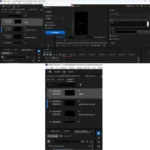
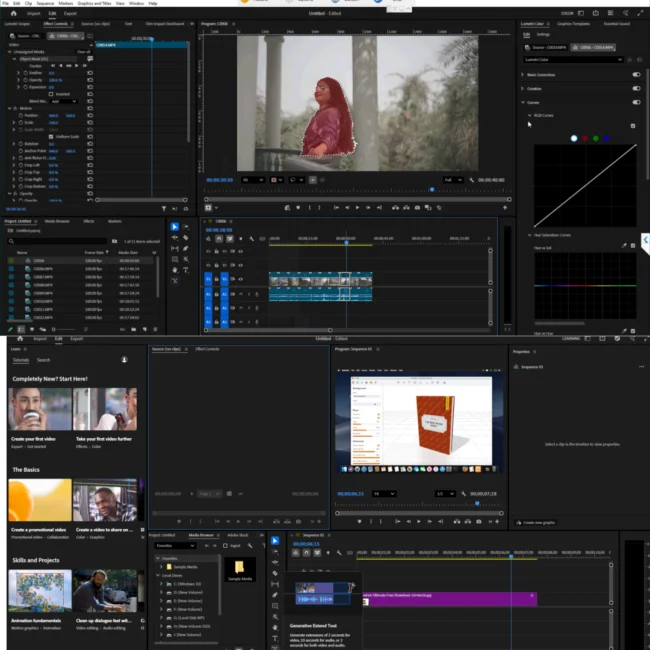
This video enhancement software integrates seamlessly into your existing editing workflow. You can create transcripts when your video edit is nearly complete. Captions are added directly to the timeline with perfect timing. The Essential Graphics panel gives you complete styling control. Caption position, font, color, and size are all adjustable. Professional results come standard with every project you create.
Adobe Speech to Text Features & Benefits
Automatic transcription eliminates tedious manual typing work. You never need to transcribe dialogue by hand again. This video editing software processes audio in just minutes. The results are remarkably accurate and reliable for most content. Your overall workflow becomes significantly faster and more efficient. Tight deadlines become much easier to meet consistently.
Adobe Sensei machine learning powers the entire speech recognition system. The AI understands natural speech patterns and various accents. Background noise is handled reasonably well by the technology. This vfx software learns from vast amounts of training data. Accuracy continues to improve with each software update. Your captions will be trustworthy, precise, and professional.
Support for 16 languages makes this tool truly global in scope. English, Spanish, French, German, and Russian are fully supported. Hindi, Japanese, Korean, and Mandarin work perfectly as well. Dutch, Danish, Norwegian, and Swedish are included in the package. Italian, Portuguese, and Traditional Mandarin complete the language list. Your content can reach international audiences without barriers.
The Essential Graphics panel gives you complete creative control over captions. You can style captions to perfectly match your brand identity. Font selection, color choices, size adjustments, and positioning are all flexible. This video production software makes captions look professional and polished. Background opacity and text shadows are fully customizable options. Your accessibility features will look beautiful and brand-consistent.
Bilingual interface support is a unique and highly valuable feature. You can enable Russian with English duplicates shown in brackets. This video enhancement software helps bilingual editors work much faster. Language switching happens without any need for reinstallation. The Ctrl+F12 keyboard shortcut opens the console menu quickly. Debug Database View gives you access to advanced configuration options.
Additionally for 4K video production with multiple language tracks: More powerful hardware delivers faster transcription processing times. A dedicated GPU with 4GB or more VRAM improves performance noticeably. 16 GB of RAM is strongly recommended for complex timeline work. SSD storage speeds up language pack loading significantly. These upgrades make a real difference in daily production work.
Language Support and Interface Options
This video editing software includes 16 complete interface languages. English, Dutch, Danish, and Spanish are available for users. Italian, Simplified Mandarin, and Traditional Mandarin work perfectly. Korean, German, Norwegian, and Portuguese are fully included. Russian, French, Hindi, Swedish, and Japanese complete the selection. The language you select during installation affects Premiere Pro’s interface. Choose your preferred language carefully before starting installation.
Bilingual mode is a powerful feature for language learners and international teams. You can display Russian interface with English duplicates in brackets. This vfx software makes learning new terminology much easier. International team members can work more effectively together. The setting is changed through the Debug Database View menu. Press Ctrl+F12 and navigate to ApplicationLanguageBilingual option. Change false to true and restart the program completely.
Language switching without reinstallation is simple and fast. Launch Premiere Pro and create a new blank project. Press Ctrl+F12 to open the console window immediately. Click the settings stripes located near the word Console. Select Debug Database View from the small menu that appears. Find the Application Language line in the console menu options. Enter your preferred language code and restart the program normally.
Available language codes include cs_CZ for Czech and da_DK for Danish. English codes are en_GB for British and en_US for American English. Spanish uses es_ES, French uses fr_FR or fr_CA for Canada. Hindi uses hi_IN, Japanese uses ja_JP for Japan. Russian uses ru_RU, Chinese uses zh_CN or zh_TW. Korean uses ko_KR for complete compatibility with Korean users. Your interface switches instantly after restarting the application.
When switching interface languages, keyboard hotkeys sometimes disappear unexpectedly. Save your keyboard shortcuts before changing the interface language. Go to the Edit menu and select Keyboard Shortcuts option. Click the Save As button in the window that appears. Save the current configuration with a new unique name. Use Latin characters for the filename at all times. Your shortcuts will remain safe and fully usable.
System Requirements and Compatibility
This video production software requires Windows 10 or Windows 11 operating system. Your system must be 64-bit only, no 32-bit support available. Adobe Premiere Pro 2026 version 26.0 or higher must be pre-installed. The add-on will not work with any older software versions. Compatibility is strictly limited to Premiere Pro 2026 only. Check your version before purchasing this add-on.
This video editing software is NOT compatible with older Premiere versions. Adobe Premiere Pro 2022 will not work with this add-on at all. Adobe Premiere Pro 2023 is completely incompatible with this version. Adobe Premiere Pro 2024 cannot use this Speech to Text package. Adobe Premiere Pro 2025 is also not supported by this add-on. You must have Premiere Pro 2026 installed and working first.
Storage space requirement is 12.7 GB for the complete installation. All 16 language packs are included in this total size. An SSD drive is strongly recommended for faster loading times. The add-on comes pre-activated and ready to use immediately. Advertising has been removed according to tracker rules and guidelines. Installation is straightforward and user-friendly for most users.
Version Compatibility Reference Guide
Different Speech to Text versions match different Premiere Pro versions exactly. Version 9.4.1.5 works with Premiere Pro 2022 from 22.2 to 22.4. Version 10.0.0.5 works with Premiere Pro 2022 from 22.5 to 22.6.2 and Premiere Pro 2023 version 23.0. Version 12.0.10.5 works with Premiere Pro 2023 version 23.1 and higher. Version 2.1.4 works with Premiere Pro 2024 version 24.3 and higher. Version 2.1.6 works with Premiere Pro 2024 version 24.4 and higher, Premiere Pro 2025 version 25.0 and higher, and Premiere Pro 2026 version 26.0 and higher.
This specific package is Adobe Speech to Text version 2.1.6 for Premiere Pro 2026. It requires Premiere Pro 2026 version 26.0 or higher to function. It is NOT compatible with versions 2022, 2023, 2024, or 2025 at all. Check your Premiere Pro version number before completing your purchase. The add-on will not install on incompatible software versions. Your investment must match your current software environment exactly.
Installation Instructions and Troubleshooting
Installing this video enhancement software requires attention to version compatibility first. Verify you have Premiere Pro 2026 installed and working properly. The version must be 26.0 or higher for successful installation. Older versions will not work with this add-on package. Check your Help menu for About Premiere Pro information. Confirm the version number before proceeding with installation.
Download the 12.7GB package from your My Account page after purchase. The download may take some time depending on your internet connection speed. Extract the files using WinRAR or 7-Zip software tools. Run the Set-up.exe file as administrator on your system. Follow the installation wizard instructions carefully and completely. The process takes about 10-15 minutes to finish successfully.
If the Continue button is out of sight on your screen, use the TAB key. This happens occasionally on poorly configured operating systems. TAB navigation will reach the hidden button eventually. Press Enter once the button is highlighted on your screen. The installation will proceed normally from that point. This keyboard trick solves the visibility problem completely.
If you receive error 24 about administrator privileges, try two solutions. First, disconnect your computer from the internet during installation. Windows Defender sometimes flags the Set-up.exe file incorrectly. Second, unzip the image to your hard drive first. Install the program from the unzipped folder directly. One of these solutions should work for your situation.
The installation log is located at C:\Program Files (x86)\Common Files\Adobe\Installers\Install.log. Check this file if you encounter unknown errors during setup. The log contains detailed error information for troubleshooting. You can find specific problem explanations in this file. Contact our support team if you need additional help. We are available 24/7 via Telegram for assistance.
Why Choose This Adobe Speech to Text Package?
This video editing software package includes all 16 language packs. Each language module is approximately 600 MB in size. Installing them all separately would be tedious and time-consuming. Our unified package saves you time and installation hassle. You get everything in one complete 12.7GB download file. No need to search for individual language packs online.
The add-on comes pre-activated and ready to use immediately. No additional crack, patch, or keygen is required. This vfx software works perfectly right after installation finishes. Advertising has been removed completely from this package. Your workflow will not be interrupted by pop-ups or ads. Focus on editing, not on technical problems or distractions.
Adobe Sensei machine learning provides industry-leading transcription accuracy. The AI understands context and natural speech patterns intelligently. Captions match the tempo of dialogue precisely and accurately. Your videos will be accessible to hearing-impaired viewers properly. Engagement increases significantly with properly captioned content. This video production software delivers professional results every time.
All caption styling is done through the Essential Graphics panel controls. You have complete creative control over caption appearance. Captions can match your brand identity perfectly and consistently. Position, size, font, and color are all adjustable easily. Save your custom styles for future projects and reuse them. Consistency across your video library is easy to achieve and maintain.
Authority Sources & Resources
For official Adobe Speech to Text documentation, visit the manufacturer’s website. Learn professional captioning techniques from Adobe’s learning portal. Read trusted reviews on G2 from actual software users. Access certification programs through Adobe’s education center. Watch official tutorials on the Adobe YouTube channel. Review accessibility compliance information through W3C standards.
- Official Adobe Website
- Adobe Premiere Pro Official Documentation
- G2 – Adobe Premiere Pro User Reviews
- Adobe Creative Cloud Official YouTube Channel
- Adobe Speech to Text Tutorial Guide
Related Products You Might Like
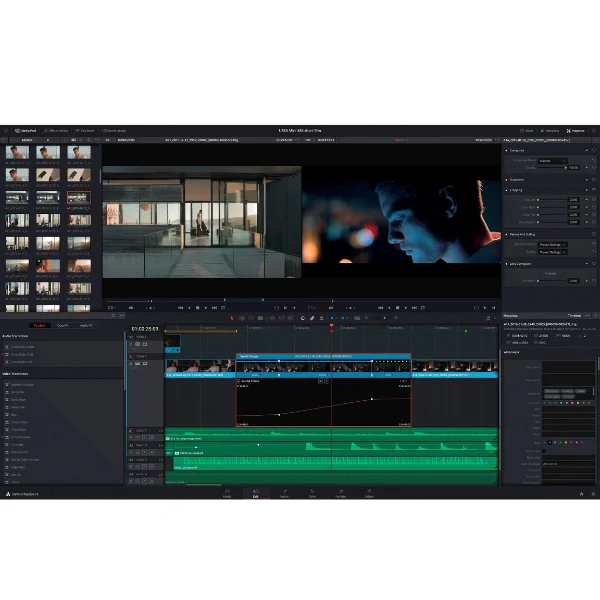
Explore more video editing software options from Sofryx. Adobe Premiere Pro 2026 is required for this Speech to Text add-on to work properly. For motion graphics and visual effects work, Adobe After Effects 2026 complements Premiere Pro perfectly. Video encoding professionals love Adobe Media Encoder 2026 for efficient export workflows. For professional color grading specifically, DaVinci Resolve Studio 2026 offers Hollywood-grade color tools. Filmora 2026 is an excellent beginner-friendly video editing alternative.
Frequently Asked Questions
What is speech to text for video editing used for?
Speech to text for video editing automatically generates transcripts and captions. This video production software saves hours of manual transcription work. Captions improve accessibility for hearing-impaired viewers significantly. Engagement increases when videos have accurate, well-styled captions. Search engines can index transcribed content for better discoverability. Your videos become more accessible, inclusive, and searchable.
How accurate is Adobe Sensei transcription technology?
Adobe Sensei transcription technology delivers impressive accuracy across 16 languages. The AI understands natural speech patterns and various accents effectively. Background noise is handled reasonably well by the system. Technical terminology recognition depends on audio clarity and enunciation. This video editing software works best with clean, clear dialogue. Professional studio recordings achieve the highest possible accuracy levels.
Can I use this automatic caption generation software offline?
This automatic caption generation software requires an internet connection for transcription. Adobe Sensei processes speech in the cloud for accuracy. Your audio is sent to Adobe’s servers for AI analysis. Privacy considerations should be understood before using this feature. The caption styling and editing features work completely offline. Plan your workflow around internet availability for transcription tasks.
Can I use this multilingual video captioning tool on multiple computers?
Yes, this multilingual video captioning tool allows installation on multiple computers. Your license covers devices that you personally use for work. You can work on both desktop and laptop computers conveniently. The license is single-user based, not per-machine restricted. Contact our support team for volume licensing options available. Teams and businesses get special pricing for multiple users.
How long does delivery take after purchase?
Delivery is instant after your payment completes successfully. You find download links in your My Account section immediately. The 12.7GB download may take time on slower internet connections. Installation help is available via Telegram support if needed. Most customers download and install within 30 to 60 minutes typically. This depends entirely on your internet connection speed.
What is your refund policy for digital software?
View our complete refund policy at sofryx.com/refund-policy for details. Digital products have specific terms due to their intangible nature. We offer technical support first before any refund consideration. All refund requests follow our published policy guidelines strictly. Contact support immediately if you experience any installation issue. Most problems resolve quickly with our assistance and guidance.
How do I get technical support for this premiere pro speech to text addon?
24/7 technical support is available via Telegram. Windows users receive remote assistance when needed for problems. Response times are typically under 30 minutes during business hours. Our team knows Adobe Speech to Text for Premiere Pro 2026 thoroughly. Installation, activation, and usage questions are all welcome anytime. We help you start captioning your videos quickly and efficiently.
Is this genuine Adobe Speech to Text or a cracked version?
This is 100 percent genuine Adobe Speech to Text for Premiere Pro 2026. Mani personally tests every package before listing for quality assurance. We provide authentic Adobe add-on files only, no modifications. This is not trialsoftware in any way. The video editing software never crashes or stops working unexpectedly. Our guarantee of genuine software is absolute and backed by thorough testing.
Only logged in customers who have purchased this product may leave a review.


Reviews
There are no reviews yet.